
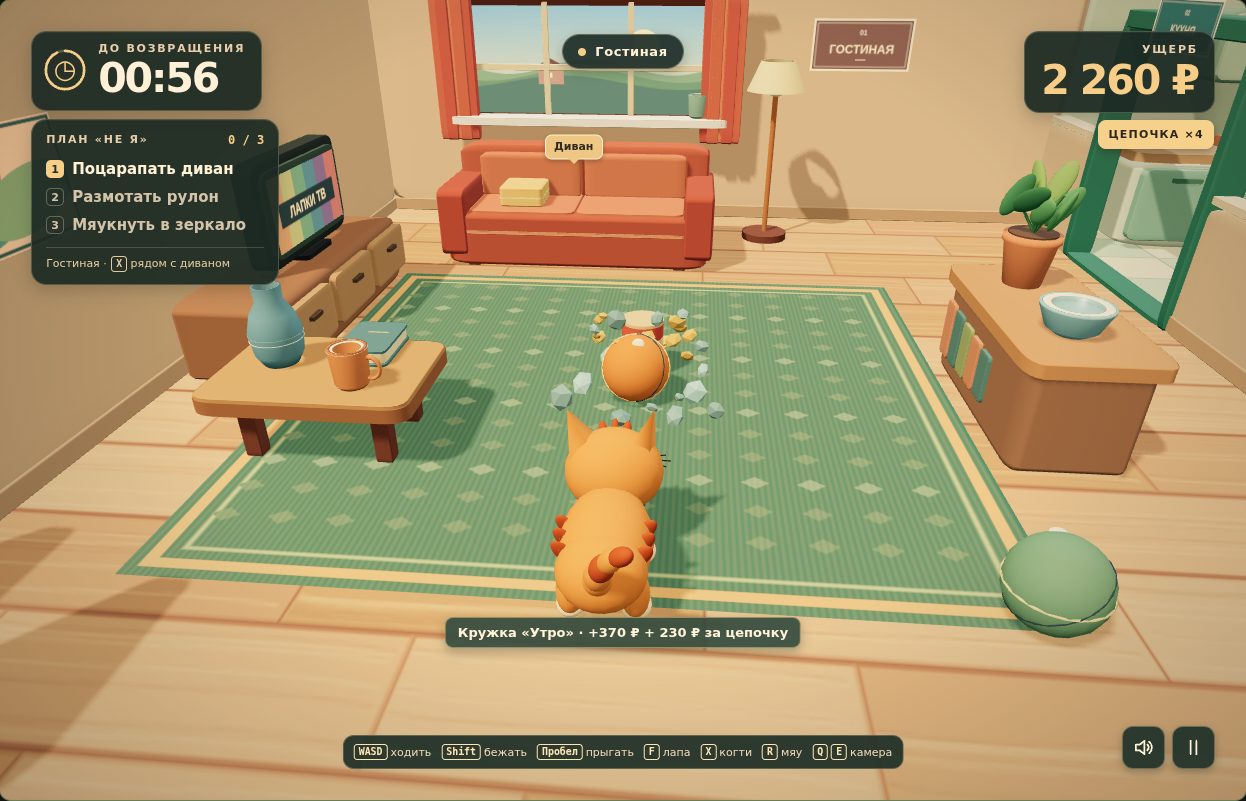
 With Zorya Context
Cat Causes Chaos
Play in your browserA game built with Zorya Context.
Zorya Context
Build websites and games, and solve complex problems with your AI assistant. Zorya Context finds relevant knowledge in a saved library and gives it to your assistant.
Works inside a compatible AI tool. Follow the setup guide for Codex, Cursor, or another MCP client.
The full current beta is free. Model usage costs are separate.
With Zorya ContextA game built with Zorya Context.
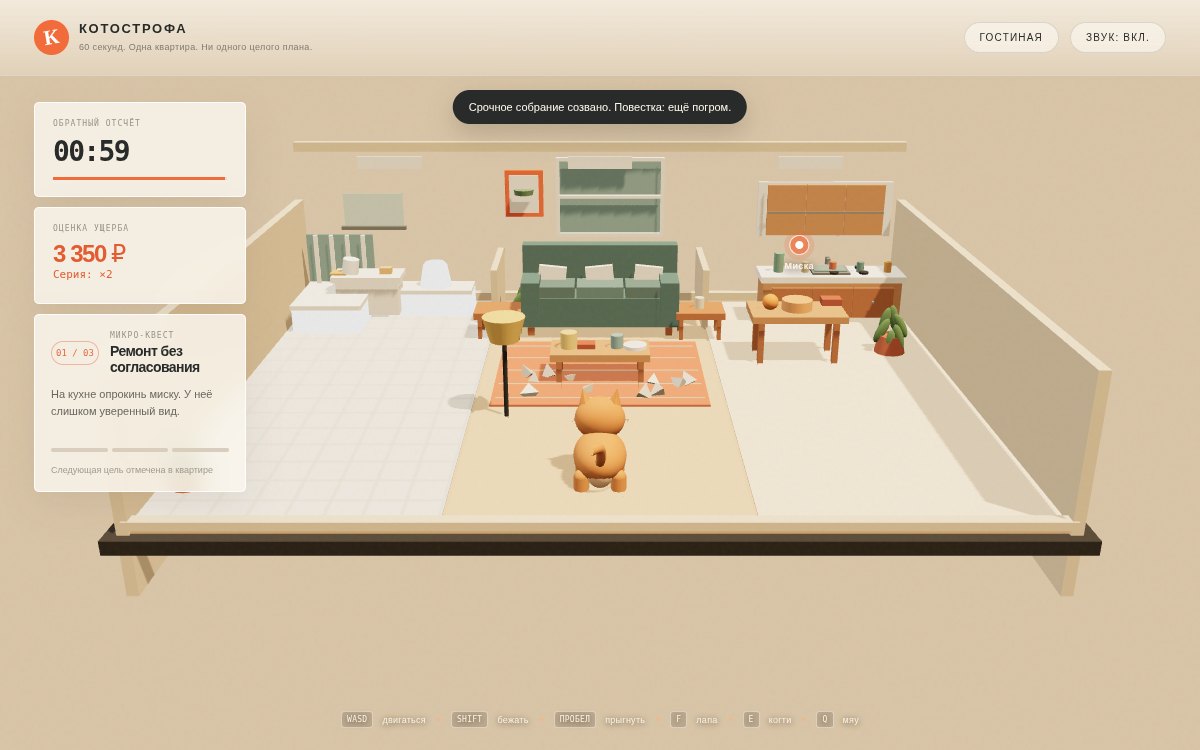 Without Zorya Context
A game built without Zorya Context.
A cat, an apartment, and one minute to cause chaos. One version was built without Zorya Context, the other with it. Play both and feel the difference.
Knock things over, explore the apartment, and try for a higher score. Each game page explains its controls.
Make a game where a cat runs around an apartment and knocks things over.
Context finds material on controls, movement, and game design.
Your assistant receives knowledge relevant to the task.
Your AI uses the material to write code and refine the game.
How should jumping feel, and how can objects break?
You play the game, check the controls, and decide what to improve.
Context supplies knowledge. Your AI assistant applies it to the work, while you set the direction and judge the result.
Working with Zorya Context
“With Zorya Context, even GPT-6.1 Sol feels stronger than Claude Opus 5.5.”
Try the games above and form your own view.
Keep working in your AI assistant. Context connects it to a published library, so it can use material already gathered on your topic.
Plan a website’s homepage, bring a game character to life, or compare two ways to solve a technical problem.
Context selects saved knowledge on the topic. Sources come with the material, so you can see what the answer draws on.
Your assistant helps you make a plan, write code, or review a solution. Discuss the result and refine the task in the same conversation.
Set up the connection once, then use Context from your AI tool.
Create a free account. In your account, issue a personal token: the key used to connect.
Connect Context to your AI tool using the guide for Codex, Cursor, or another MCP client.
Describe your task and ask your assistant to use Context knowledge. The example on this page is a starting point.
Invoke the installed Zorya Context plugin. Read all applicable skills and project rules. Start with relevant knowledge already saved in Context. If new sources or research are needed, ask for separate consent for that specific, bounded collection first. If no relevant saved knowledge is available, say so; do not invent it.

Prepare a text draft for a small one-page website for a neighborhood tool library. The audience is local residents who want to learn how to borrow a tool. The page goal is to explain the borrowing rules and help visitors contact a volunteer librarian. Constraints: do not add sign-up, payment, or tool availability details that were not provided. Prepare a headline, short explanation, three sections, and one primary contact button. Explain which relevant saved knowledge informed the structure. Check that the page serves its goal and includes no invented terms.
You can copy this example as written. For your own task, replace the audience, goal, constraints, and result.
It is an add-on for a compatible AI assistant. Connect Context through MCP and keep working in your own tool. The setup page covers Codex CLI, Cursor, and manual configuration.
The full current account beta: 13 MCP tools, including the catalog, selection and preparation of saved knowledge, research, personal knowledge sessions and export. New research and exports require separate consent. Document import is unavailable in the account MCP. Usage charges for your chosen model and other external services are not included.
Context sends text to your model. Reading more material uses more input tokens. The total depends on your model and provider’s plan; large context can significantly increase the cost of a task. Start with a lightweight compatible model and one small question.
New material can be gathered. Before every new research task, your assistant must explain the gap, the expected benefit, and the duration, then get your separate explicit consent. A new task longer than 600 seconds needs separate approval of its added benefit and total duration.
From Context’s published library. Suitable material from public sources can be added to the shared library after review. Personal and project documents stay in the AI host chat or workspace; Context does not accept document imports. Tasks and knowledge-session state remain owner-isolated. The AI host controls conversation memory.
Pick a question from your own work: the structure of one page, a character’s behavior, or a choice between two approaches. Connect Context, ask your assistant to read relevant knowledge, and apply it to that question.